Outreach sequence: steps, waits and limits
The order and timing of calls, texts and emails after a shopper enters a campaign, and how to change them.
Last reviewed November 7, 2026
The recommended sequence
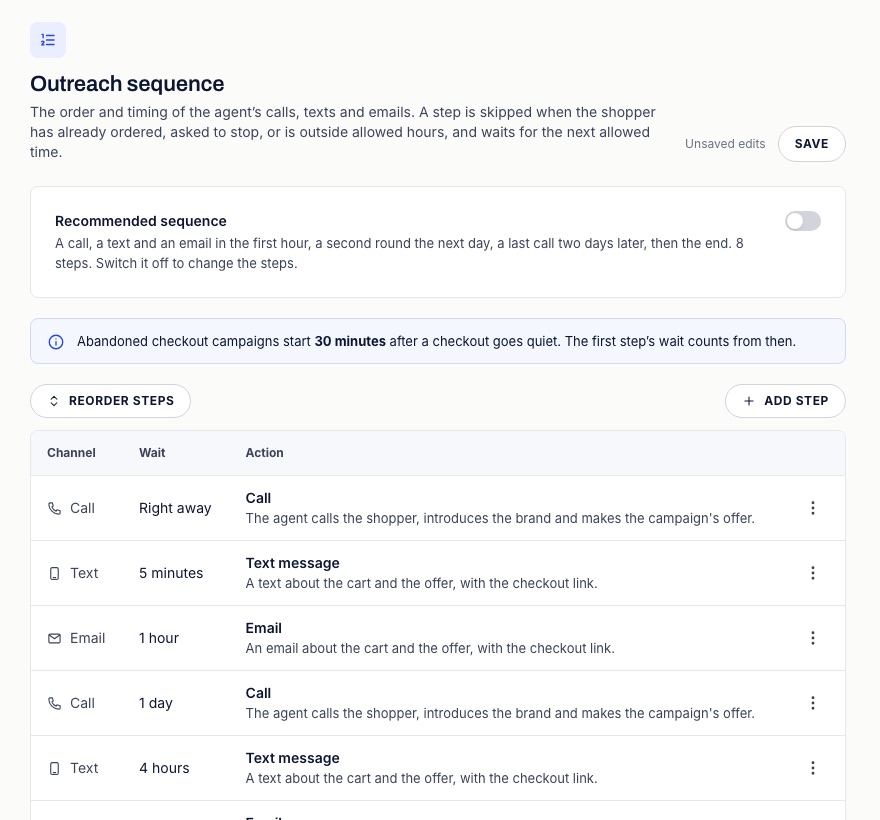
New campaigns use these eight steps. In an abandoned checkout campaign the run starts 30 minutes after the checkout goes quiet by default, so add that to the last column.
| Step | Wait | Time since the run started |
|---|---|---|
| Call | Right away | 0 |
| Text message | 5 minutes | 5 minutes |
| 1 hour | 1 hour 5 minutes | |
| Call | 1 day | 1 day 1 hour 5 minutes |
| Text message | 4 hours | 1 day 5 hours 5 minutes |
| 1 day | 2 days 5 hours 5 minutes | |
| Call | 2 days | 4 days 5 hours 5 minutes |
| End of campaign | 2 days | 6 days 5 hours 5 minutes |
How waits add up
Each wait counts from the moment the step before it went out or was skipped. The first step counts from the start of the run. When quiet hours hold a step until morning, every later step moves with it, so the last column is the soonest each step can go.
Change the steps
- Open Advanced > Outreach sequence in the campaign's setup and turn off Recommended sequence. The table stays filled in, ready to edit.
- Press Add step, choose the Action (Call, Text message, Email, WhatsApp message or End of campaign), then set Wait before this step and its Unit. A new step goes in before End of campaign.
- Use the row menu to edit or delete a step, and Reorder steps to move one.
- Save, then publish the campaign.
The agent writes text and email steps for each shopper. To fix the wording yourself, turn on Write this message myself in the step and use merge fields.
Limits
- At most 30 steps, and at most 60 days across all the waits.
- A wait can be 0 to 10,000 minutes, hours or days, within that 60 days.
- End of campaign must be the last step. Without one, the run ends after its last step.
- A custom sequence needs at least one step.
When a step does not go out
| What happened | What ACR does |
|---|---|
| The shopper ordered, opted out or was handed off | Ends the run and cancels the steps left |
| The shopper replied | Moves to a follow-up sequence or ends the run, depending on the reply and your settings |
| Outside allowed hours | Holds the step until the next allowed time |
| Channel off, no phone or email, no consent, opted out on that channel, or country not allowed | Skips the step and moves on |
| No number or mailbox to send from | Skips the step and moves on |
| The send failed | Tries again 5 minutes later, up to three attempts in all |
| Every call line is busy | Tries again 3 minutes later |
Shoppers who enter after you publish get the new sequence. A run already under way keeps the steps it started with.