Leads and their states
Where leads come from, what each state means, and how to edit, test or delete one.
Last reviewed November 7, 2026
Where leads come from
A lead is one shopper. Most arrive from the store's abandoned checkouts or from Custom API events, and you can also add one by hand or import a CSV of up to 500 rows.
ACR matches incoming data to an existing lead by unique id first, then email, then phone number, so one shopper stays one lead across carts. New values replace stored ones, a missing value never erases one, and an opt-out is never lost.
States
| State | What it means | Outreach |
|---|---|---|
| In outreach | A campaign run is open for them. | Steps go out on schedule. |
| Idle | Nothing is running. | A campaign can take them. |
| Needs review | The agent could not read a reply, or someone marked them. The Review required button on the Leads page shows only these. | Their run pauses until a person sets another state. |
| Hand-off requested | The agent passed them to your team. | Stopped. Resolving the hand-off returns them to Idle. |
| Asked not to be contacted | They opted out, or someone set this for them. Their phone and email go on the suppression list. | Stopped on every campaign. |
| Blocked | Someone on your team set this. | Stopped. |
| Disqualified | Someone on your team set this. | Stopped. |
| Unreachable | Someone on your team set this, usually because the number or address does not work. | Stopped. |
| Redacted | Their personal details were erased after a privacy request. The lead cannot be edited. | Stopped. |
Changing a lead
On a lead's page, the menu on Lead details holds Edit, Assign lead campaign and Delete lead. The buttons at the top open Metadata, Conversions, Orders and Events. Events records why a campaign passed the lead over.
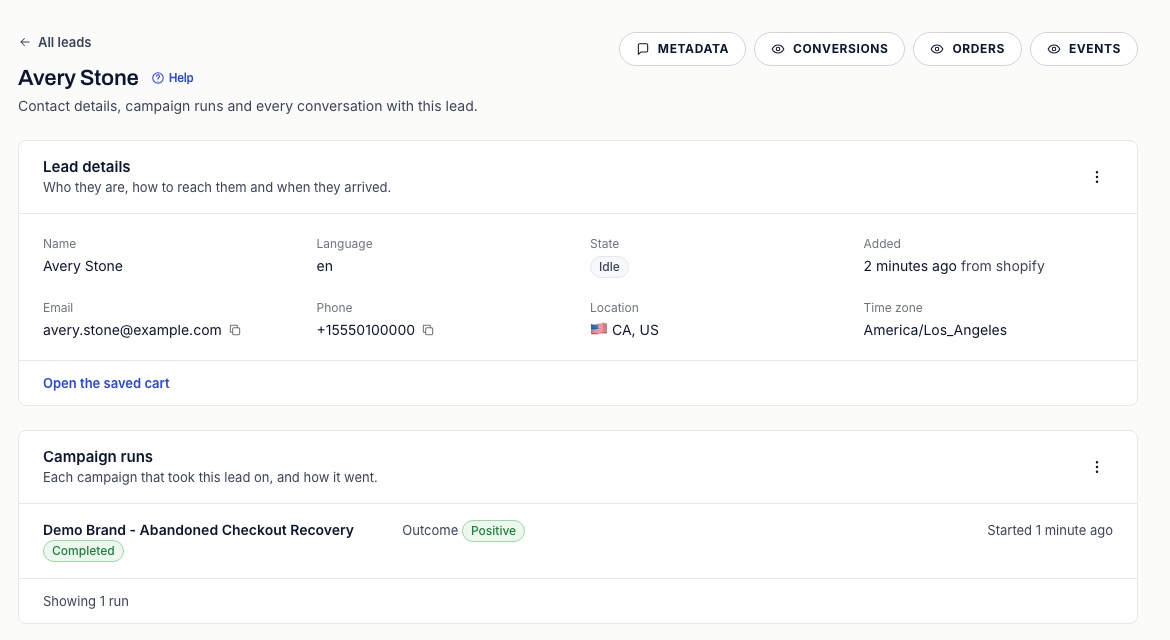
Edit changes the name, contact details, country, time zone and state. Changing the state has effects: Asked not to be contacted suppresses their contacts and ends their runs, Needs review pauses their run, Idle or In outreach lets a paused run continue, and any other state ends their runs.
Assign lead campaign starts a run on a published campaign you choose. Because a person picked it, ACR skips the start conditions and the cooldown. It still checks consent, the suppression list, the country, the lead's state and the campaign's cap, and a lead can have only one open run. If one of those stops it, the dialog says why.
On the Leads page, select rows to assign a campaign, cancel open runs or delete several leads at once.
Test leads and night-time contact
Two switches on the Edit form need an admin. Test lead keeps the lead out of analytics and conversions. A run assigned to a test lead is a test run: nothing is sent, the run does not count toward your plan, and the consent, country and call-limit checks are skipped.
Allow contact at night in test runs only works together with Test lead, in a test run, where it also skips the allowed hours. On a real shopper it changes nothing, so a shopper who asks to be contacted late still gets the normal quiet hours. A real checkout from a test lead's number or address clears both switches.
Deleting leads
Admins can delete leads from the Leads page (select them, then Delete) or from the lead's own page. A lead goes with its campaign runs, calls, texts and emails, events and hand-off requests, and any run in progress stops. Orders, conversions and the suppression list stay, so revenue figures do not change and a shopper who opted out stays opted out. Deleting cannot be undone.